
Wishlist Social Count from Product Metafields (Beta)
Load wishlist social count from liquid or Shopify Product metafield APIs
Feature in BetaWishlist Social Count metafields are currently in a rolling Beta. If you don't see these fields in your Admin yet or need help with a custom implementation, please contact your CSM or Email at [email protected].
The Wishlist Social Count is a real-time tally of every "Add to Wishlist" action taken for a specific product. Swym automatically syncs this data to Shopify Product Metafields, allowing you to build native, high-performance social proof features directly within the Shopify ecosystem.
By using these metafields, you eliminate the need for client-side API calls to fetch counts, resulting in faster page loads and zero layout shift.
| Property | Details |
|---|---|
| Namespaces | swym_wishlist |
| Key | wishlist_social_count |
| Type | number_integer |
How to use on the Storefront
You can access this value in Liquid or JavaScript as shown below::
{% assign product_social_count = product.metafields.swym_wishlist.wishlist_social_count.value | default: 0 | plus: 0 %}


{% comment %}
  Display a social proof badge if the product has been wishlisted
  more than 10 times.
{% endcomment %}

{% assign social_count = product.metafields.swym_wishlist.wishlist_social_count %}

{% if social_count > 10 %}
  <div class="swym-social-proof-badge">
    🔥 {{ social_count }} shoppers have this on their wishlist!
  </div>
{% endif %}
const shopifyProductId = "9165942685928";
const productSocialCount = window.SwymViewProducts?.[shopifyProductId]?.socialCount;
How to use in Shopify Flow
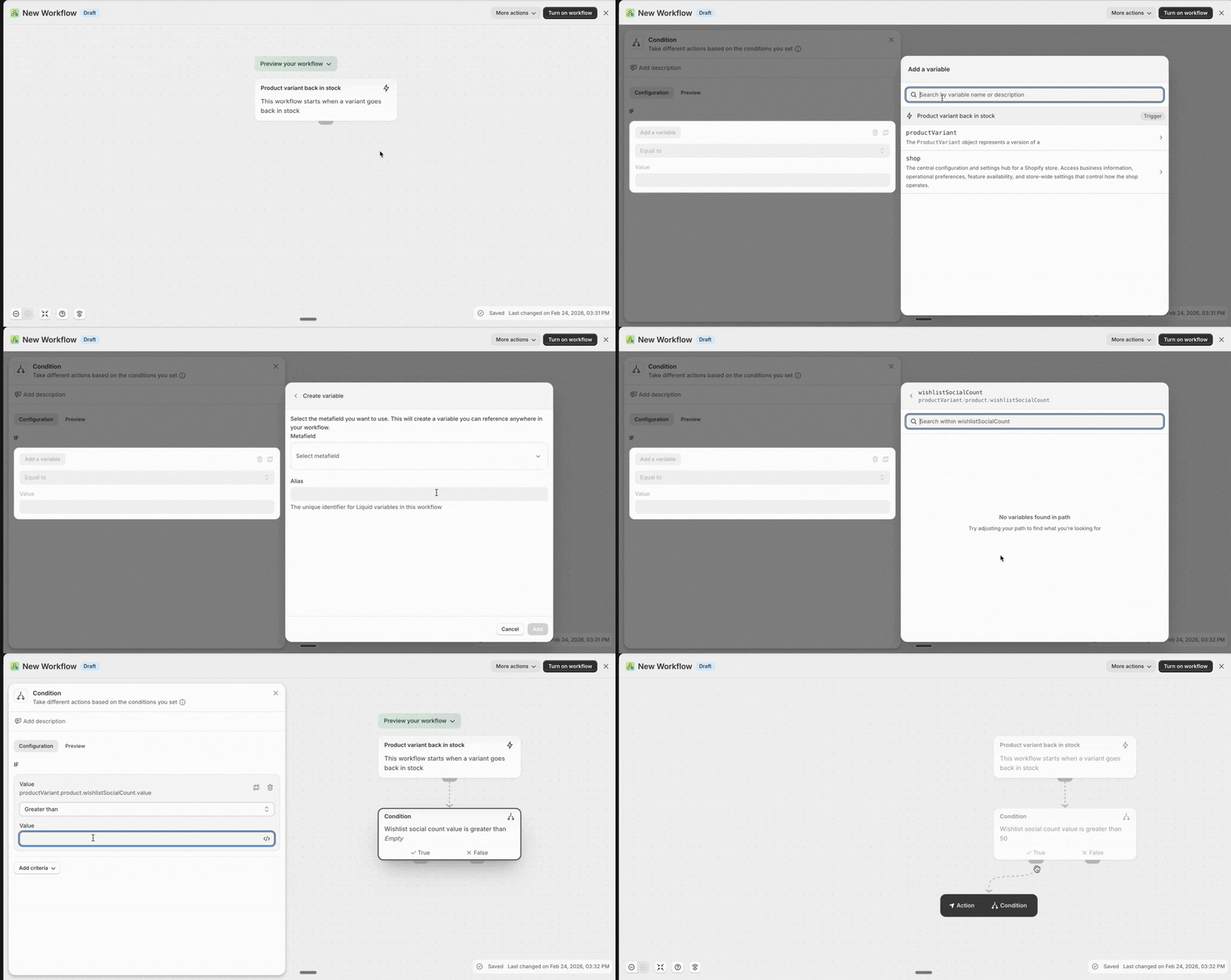
Swym’s metafields are fully indexed and "visible" to Shopify Flow, enabling powerful back-office automation based on customer interest.
Common Trigger Logic:
- Trigger: Check on a scheduled time or when inventory changes.
- Condition: If
product.metafields.swym_wishlist.wishlist_social_countis greater than [Value]. - Action: Add a "Trending" tag or send an internal Slack notification.
Implementation Use-Cases
-
Automated "Most Wanted" Collections
Create a Smart Collection in Shopify where the condition is based on the social count metafield. This allows you to automatically surface products that are "Trending" according to wishlist data.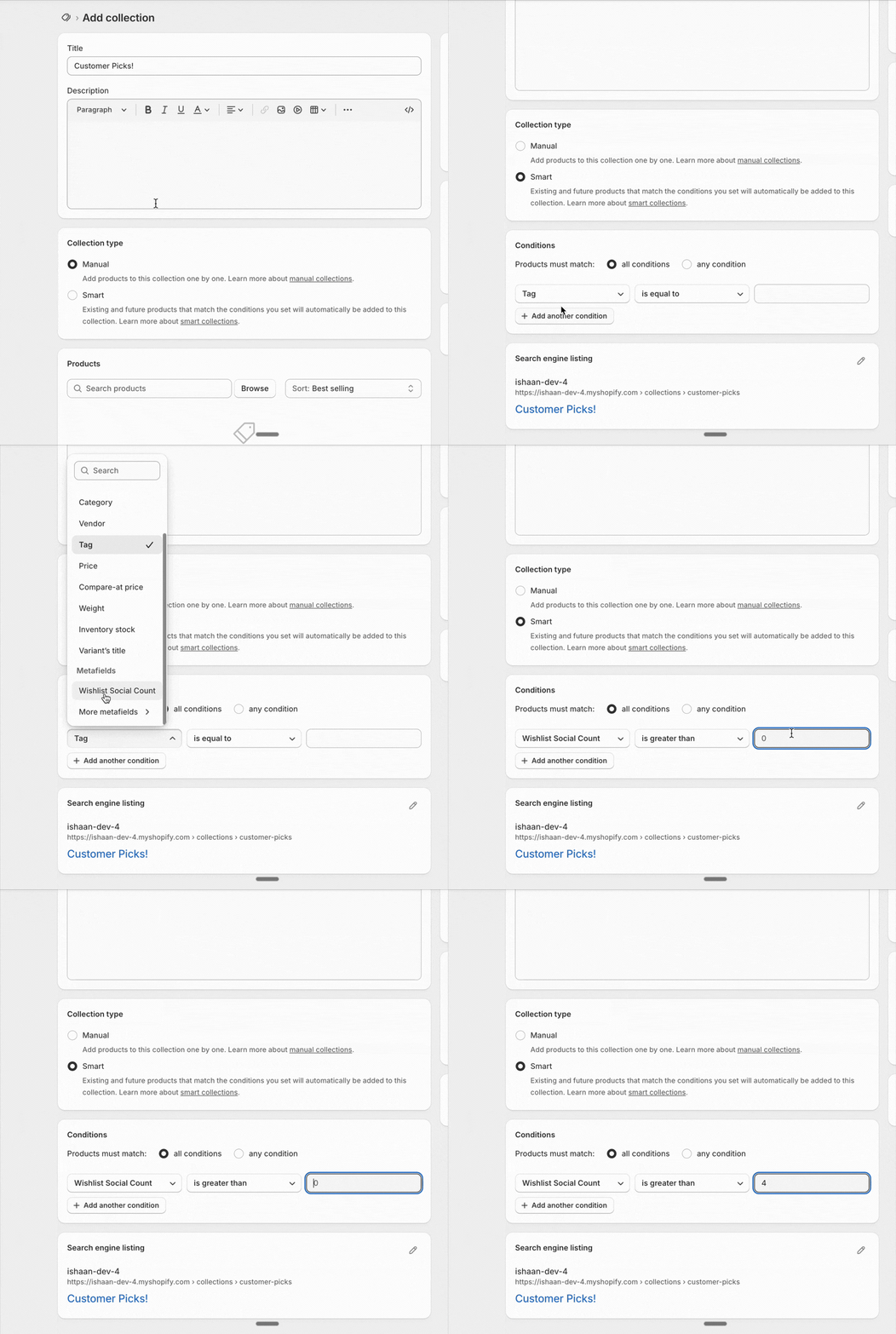
-
High-Demand Alerts (FOMO)
Combine social counts with inventory levels to create real urgency. If a product has a social count of 100+ but fewer than 5 units in stock, trigger a "High Demand" badge. -
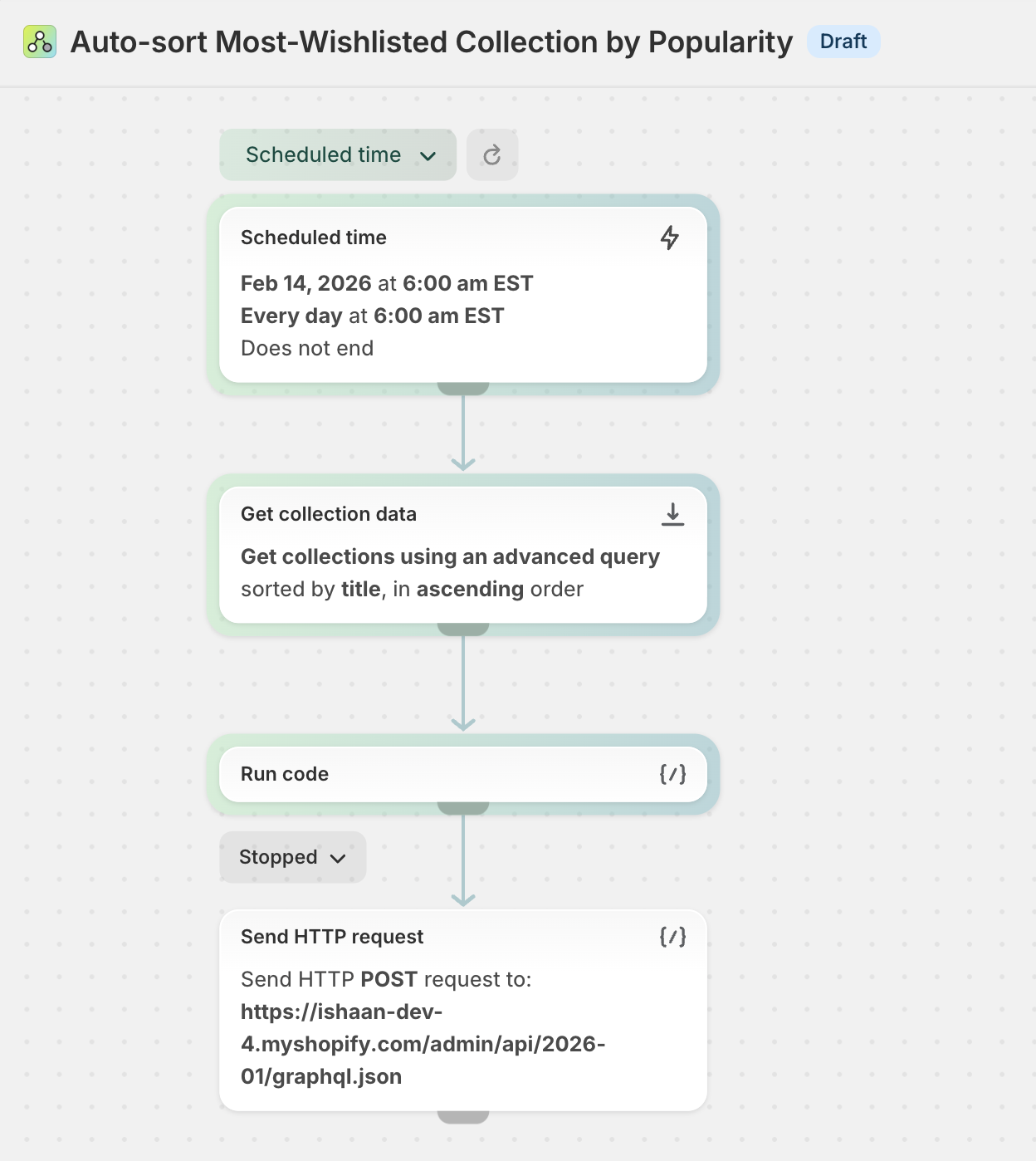
Native Collection Sorting:
Agencies can leverage these metafields to build custom "Sort by Popularity" or "Most Wanted" filters on collection pages, allowing shoppers to sort by community desire rather than just historical sales.This can be done via Shopify Flow to reorder the collections products based on the metafield value.
Metafield updates are not instant. It can take up to 5 minutes for the social count value to reflect changes.
For example, after a shopper adds an item to their wishlist, the metafield count may take ~5 minutes to update.
Updated 7 months ago